Close


Experts in Safety & Compliance Since 1953
Browse Products & Services


Services

Managed Services
Let our experienced team of compliance specialists work with you to handle time-consuming compliance management for your drivers, vehicles and employees. Our team provides real ROI by eliminating internal costs and paying close attention to your compliance.

Consulting Services
Get tailored regulatory expertise at your site. Our veteran consultants bring their deep compliance and best practice knowledge to you. You can rely on our expertise in regulations enforced by DOT, OSHA, EPA, DOL and hundreds of state agencies.

Online Services
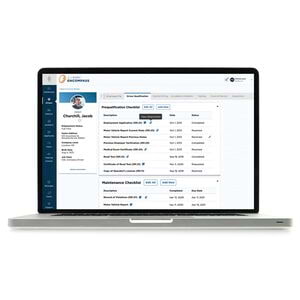
Choose our cloud-based technology to help you manage your workplace and fleet, with anytime, anywhere access. All online services offer a dashboard and easy navigation, to keep you always abreast of regulatory compliance.
The Easy Way to Get the Right Authority & Credentials
USDOT Number | UCR | MCS-150 | Hazmat / PHMSA | Process Agent / BOC-3 | Authority Monitoring
Connected Technology for Safer Drivers
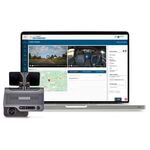
Technology solutions to improve truck driver compliance.



Skip list Featured Products











News & Regulatory Alerts
View All Alerts And NewsEvents
Apr 24
2024
10:00AM
11:00AM
Webcasts
Driver Hiring: Regulatory requirements to red flags & watch-outs!
Hiring a driver is not the same as hiring a standard employee. You and the driver must comply with the Federal Motor Carrier Safety Regulations (FMCSRs), which makes the hiring process more complex.
In this webcast we’ll share regulatory requirements, red flags, and best practices regarding the driver hiring process, from application to qualification, including:
• Online applications with e-signatures
• New hire documents
• Drug testing
• High-level employment law concerns
• And much more
We’ll also have time to answer your questions during our live Q&A session!
Can't make the date? No problem! Register now and we'll send you a link to the recording after our live discussion.
Apr 24
2024
1:00PM
2:00PM
Webcasts
2024 ERG & HMR Changes: Everything you need to know!
Having a hard time keeping up with changes to the 2024 ERG and hazmat regulations? Stop stressing out about it and join our experts for a discussion on the new 2024 ERG, recent hazmat regulation changes, and how these changes may/may not impact your hazmat operations.
We will cover important details including:
• How soon the 2024 ERG will be available
• Summary of changes and what they mean
• Importance of using the ERG/How the ERG is used
• Regulation changes from HM-219D and HM-215Q
We’ll save the last 15 minutes to answer any lingering questions you might have. Register today to stay up to date on the 2024 ERG and recent regulation changes.
Can't make the date? No problem! Register now and we'll send you a link to the recording after our live discussion.
Apr 25
2024
1:00PM
2:00PM
Webcasts
How to Comply with OSHA’s Standard on Process Safety Management (PSM)
OSHA’s standard on process safety management (PSM) of highly hazardous chemicals (1910.119) is one of the Agency’s more complex standards. It’s also one that many employers know little about, including how to determine coverage. Join us to better understand PSM, from determining if you have a covered process to compiling required process information, implementing your operating procedures and more.
During this webcast, you'll learn:
• What a covered process is
• What the exemptions are
• What to do if you have a covered process
• What recognized and generally accepted good engineering practices (RAGAGEP) are
• How to manage change
• How to conduct a PSM audit
• And more!
Time will be reserved for a live Q&A session.